How to Add Indian Horn in Bus Simulator Indonesia
In Bus Simulator Indonesia, you can add different types of Indian horns to your bus. For example:
- Yamla Pagla Deewana horn
- Nagin air horn
- Indian bus horn
You can add three different horns to one bus according to your choice. Below are the complete steps to add horns in the game.
Open the Garage in the Game
1. First, open your game and click on the Garage option. Inside the garage, you will see all the buses that you have purchased in the game.
2. Select the bus on which you want to add the Indian horn, then click on the Use option.
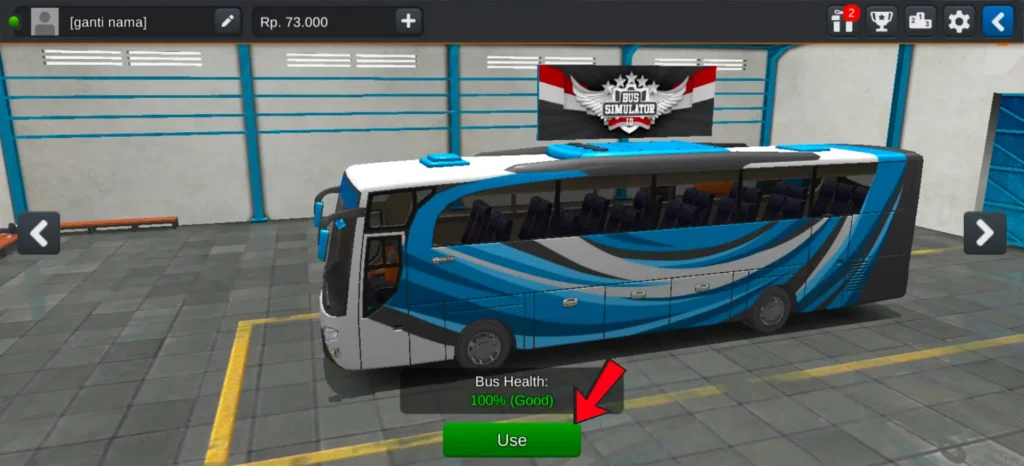
3. After clicking the Use option, the customization icons will appear at the top of the screen. These icons are used to customize the bus.
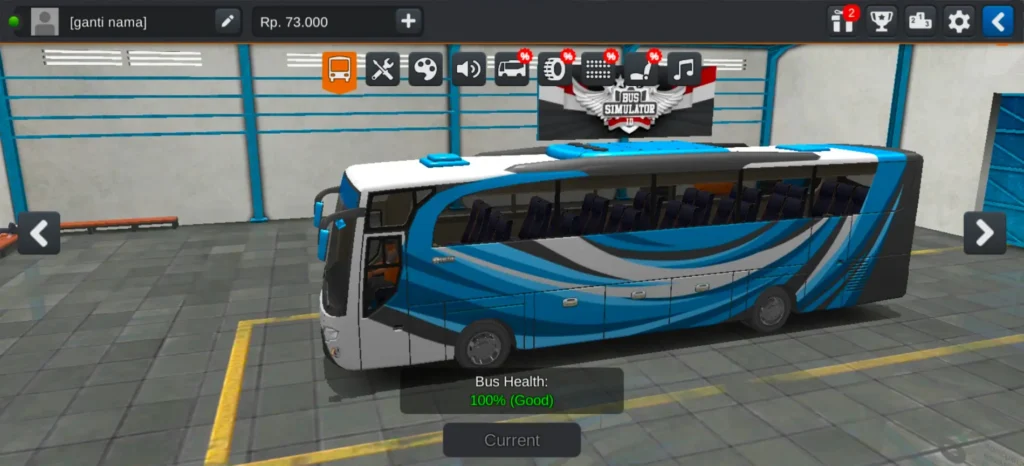
4. If a bus is already selected, its customization icons will already be visible above it.
Open the Horn Customization Option
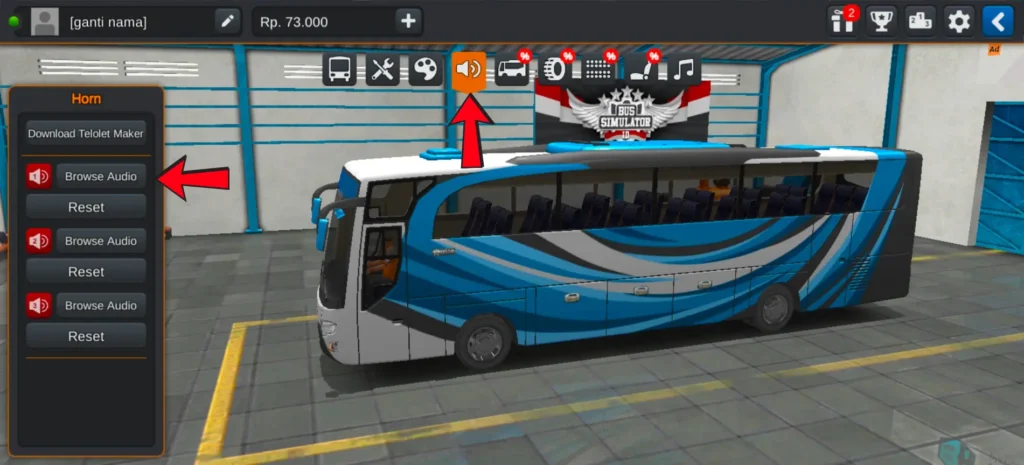
Now click on the Horn icon from the customization icons.
One important thing to remember:
- You can only add horns to the original buses in the game.
- If you have downloaded a mod vehicle, the horn option may not appear.
After clicking the horn icon, you will see three horn slots on the left side where you can add different horns.
Add Horns to Your Bus
To add a horn, click on the Browse Audio option.
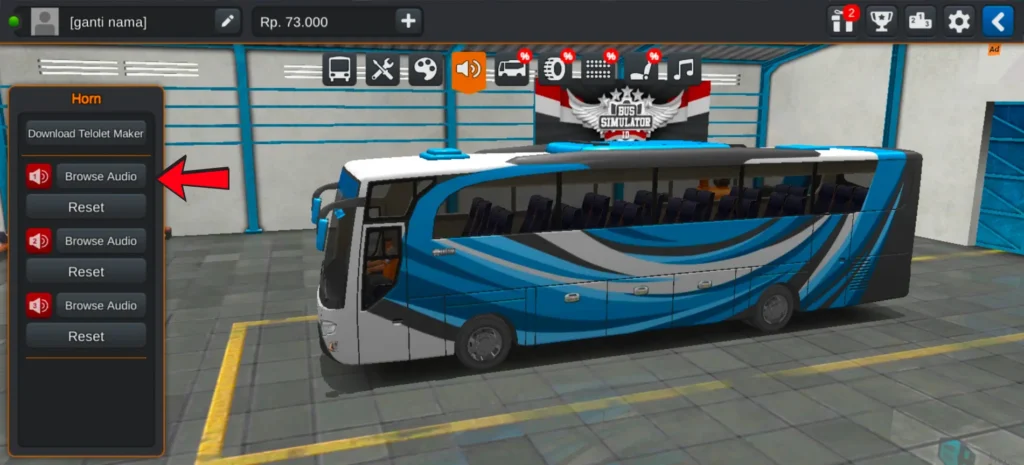
A popup will appear with two options:
- Device Gallery
- File Manager
Click on Device Gallery.
After opening it, you will see a search option at the top of the screen. Type “horn” in the search bar, and the horn audio files that you downloaded on your device will appear.
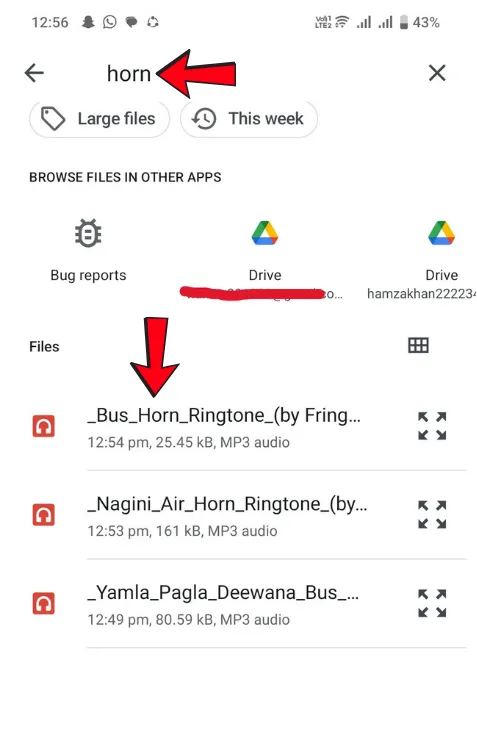
Select the horn you want, and it will be added to the slot.
You can repeat the same process to add horns in the second and third slots as well. This way you can use three different horns on the same bus. These custom horns feel more realistic when used with Indian trucks in BUSSID.
Download Indian Horn Sounds
You can download Indian horns and add them to the game. If you don’t have horn audio files yet, you can download them from Google or other trusted websites, or simply use the download links provided below.
When you click any of the links above, it will take you to the download page where you can play the horn sound first. Below the player, you will see the Download This Ringtone button.
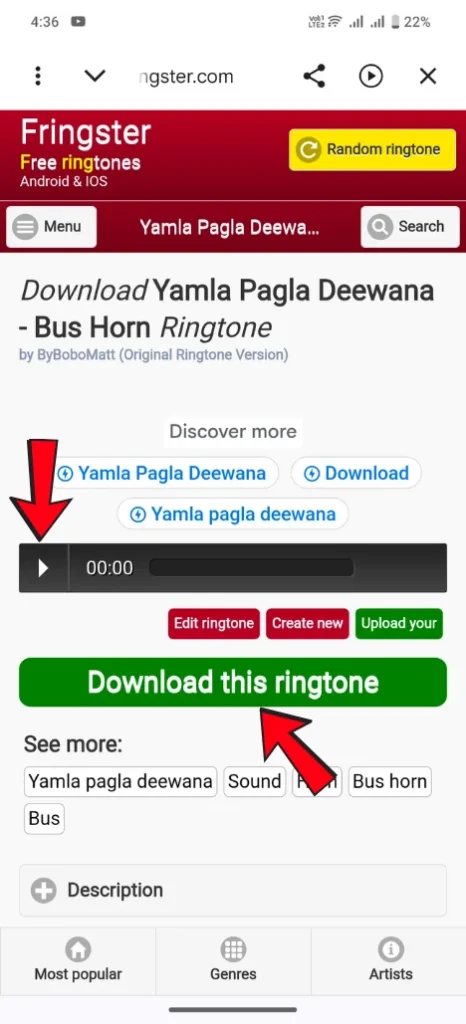
Click on the Download button and verify by selecting I’m not a robot.
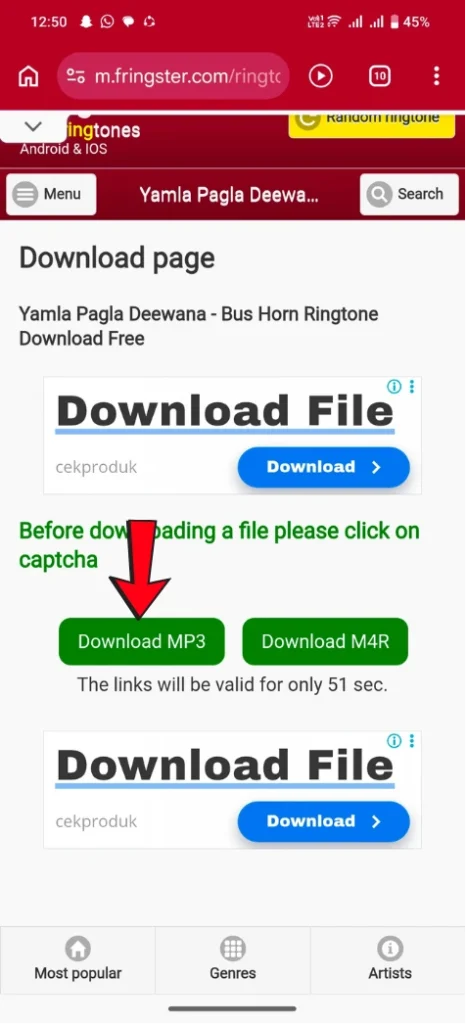
After verification, two options will appear: Download MP3 and Download M4R. Click on Download MP3, and the horn sound will start downloading to your device.
Note: We do not host any audio files on our server. All files are hosted and provided by third-party websites.
Apply the Horn in the Game
After adding the horns, click on the Apply option that appears below.
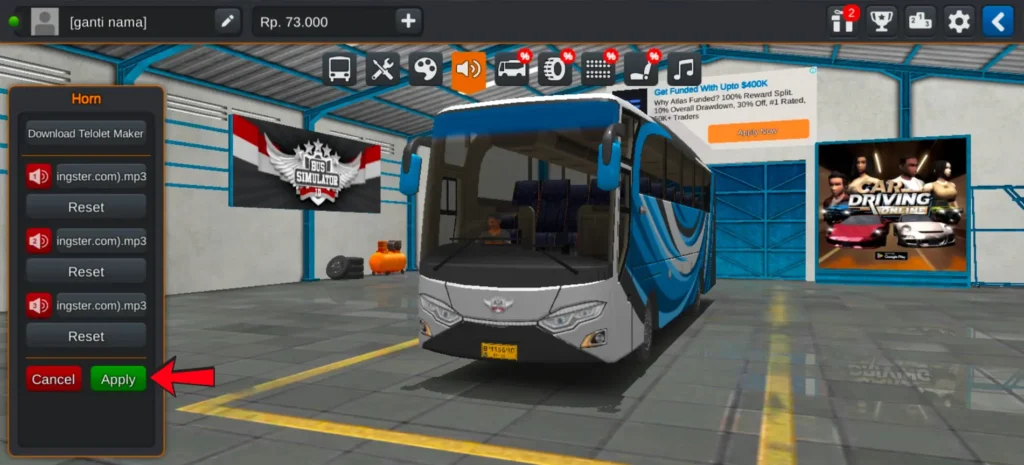
A popup will appear where you can activate the horns in two ways:
- Use game money (25000)
- Or watch an ad to add them for free
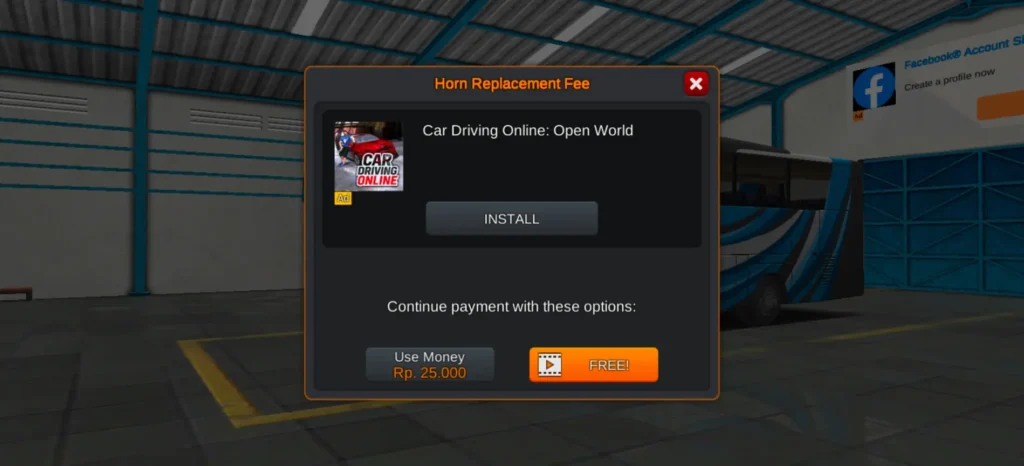
After applying, the horns will be successfully added to your bus.
FAQs
Conclusion
Adding Indian horns makes the gameplay more unique and realistic. Once the horn files are successfully added and activated, you can use different horn sounds while driving. This simple customization makes the experience more enjoyable and gives your vehicle a distinctive style on the road.