Bus Simulator Indonesia Car Mod – How to Add & Use Car Mods easily
In Bus Simulator Indonesia, you can easily add your favorite cars and drive them in the game. Many people watch online tutorials, but they often get confused because those methods include zip files, passwords, and complicated steps.
In this guide, we will show you a simple method to add and use Bus Simulator Indonesia car mod without any difficulty.
What is Bus Simulator Indonesia Car Mod?
Bus Simulator Indonesia car mod is a modification file that can be imported into the game to add a car other than buses.
After the file is imported, the car is added to the game and can be used during gameplay. This makes the gameplay more flexible and enjoyable, as players can use different types of cars.
Supported Cars in BUSSID Car Mods
Many different cars are available in BUSSID car mods. Some popular options include:
- Scorpio
- Fortuner
- Thar
- Tata Safari
You can easily find these cars in the MOD BUSSID app and choose the one you like the most.
Why Use the MOD BUSSID App?
The MOD BUSSID app makes the whole process much easier. Instead of downloading zip files and extracting them manually, you can install car mods directly with just one click. This saves time and reduces confusion, especially for beginners.
How to Install Car Mod
To install a car mod, just follow the simple steps below.
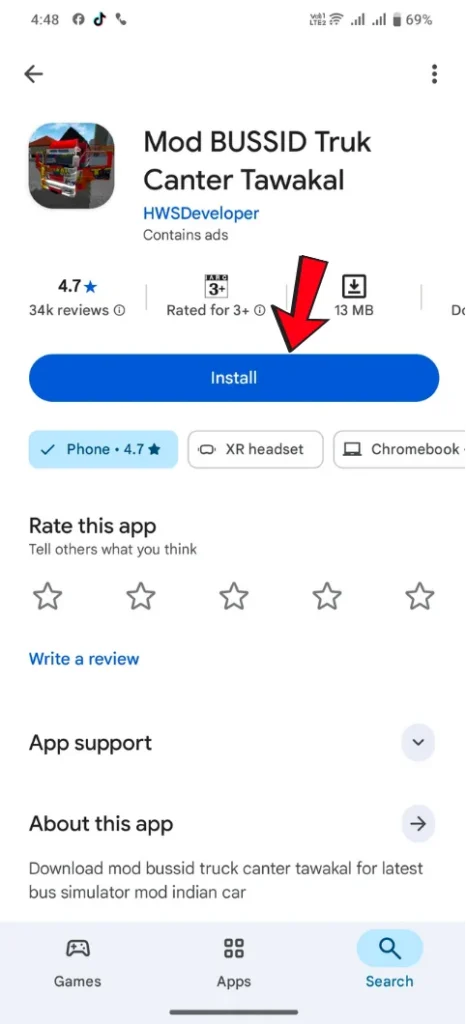
Step 1: Install the MOD BUSSID App
First, go to the Play Store and install an app called “MOD BUSSID.”
Step 2: Open the App and Search
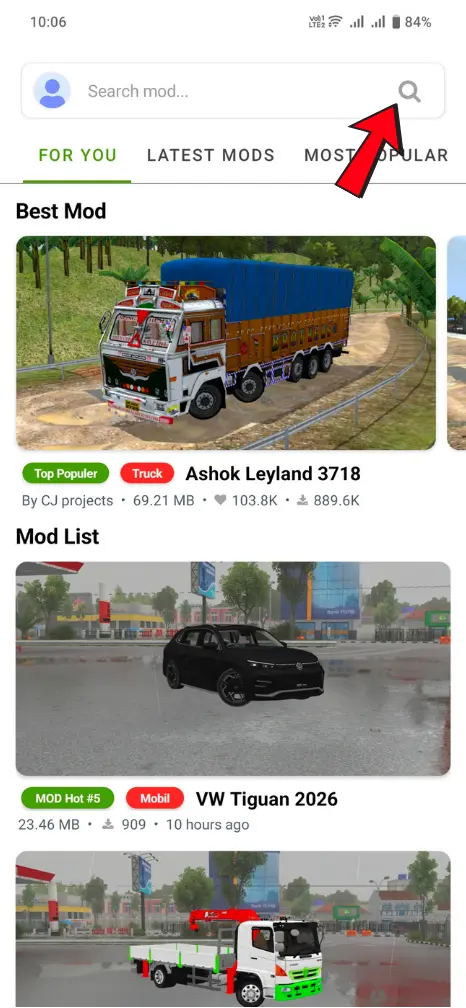
After installing the app, open it and you will see a search option.
In the search bar, type the name of your favorite car (for example, Scorpio).
Step 3: Select and Preview Car
Open the car mod, and you can also view its design and interior.
Step 4: Download and Install the Mod
Now click on the “Install” button to start the download. The file size will be around 22.93 MB.
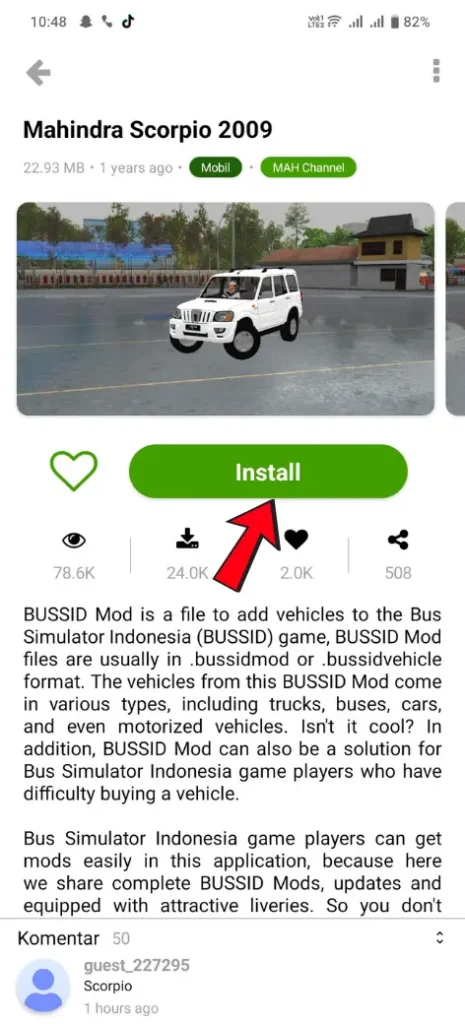
Once the download is completed successfully, the car will be automatically added to the game garage.
How to Use Car Mod in the Game
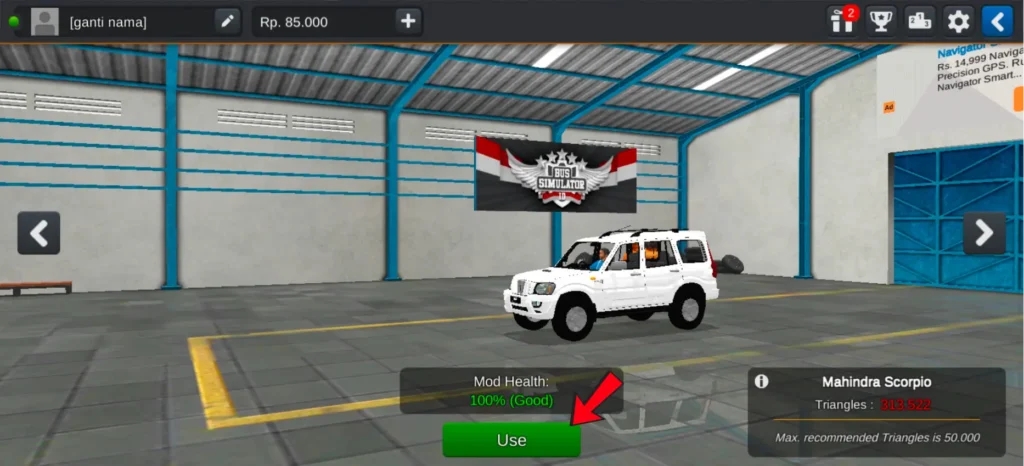
After installing the car mod, go to your garage and select the Scorpio. Then click on the “Use” button. When a confirmation appears, tap “Yes” to make it ready for driving. You can also add radio in BUSSID for a more enjoyable driving experience.
Is It Safe to Use Car Mods?
Using car mods is generally safe when you download them from a trusted app like MOD BUSSID. However, avoid unknown websites or files that require passwords, as they may not be secure.
Download Issues and Solutions
Many users may face issues during the download process:
- If the download is not completed, check your internet connection and try again
- If the app crashes, restart your device and reopen the app
- Low-end devices may have trouble, so close background apps before downloading