
How to Play Multiplayer with Friends in Bus Simulator Indonesia
In this article, you will learn how to play multiplayer with friends in Bus Simulator Indonesia as well as with random players, along with complete step-by-step instructions.
How to Enter Multiplayer Mode
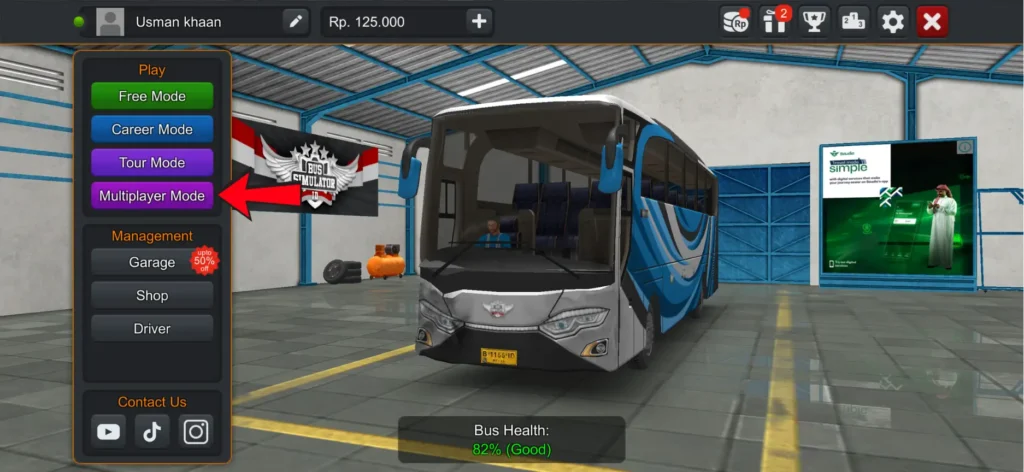
First, to play multiplayer with your friends, click on the multiplayer mode in the main menu.
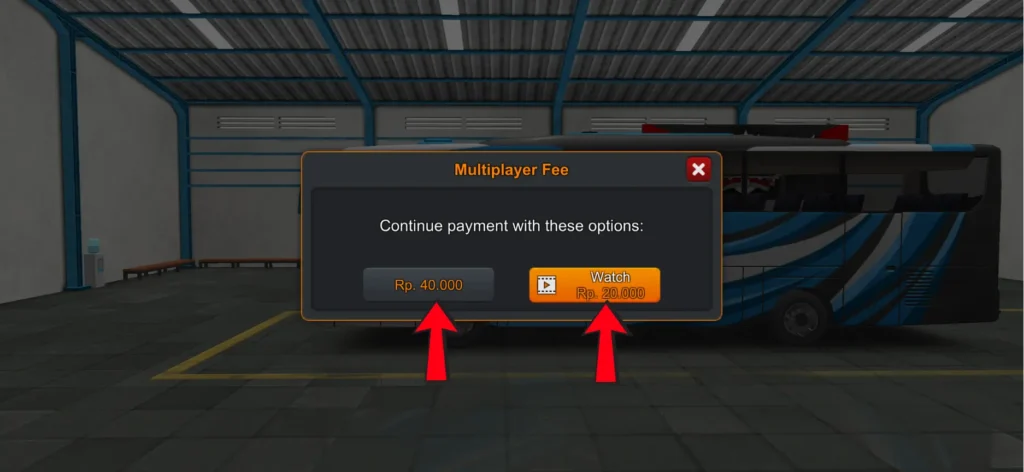
Then, you will see 2 options to enter:
- One requires 40000 money
- The other requires 20000 money after watching an ad
Server Selection in Multiplayer Mode
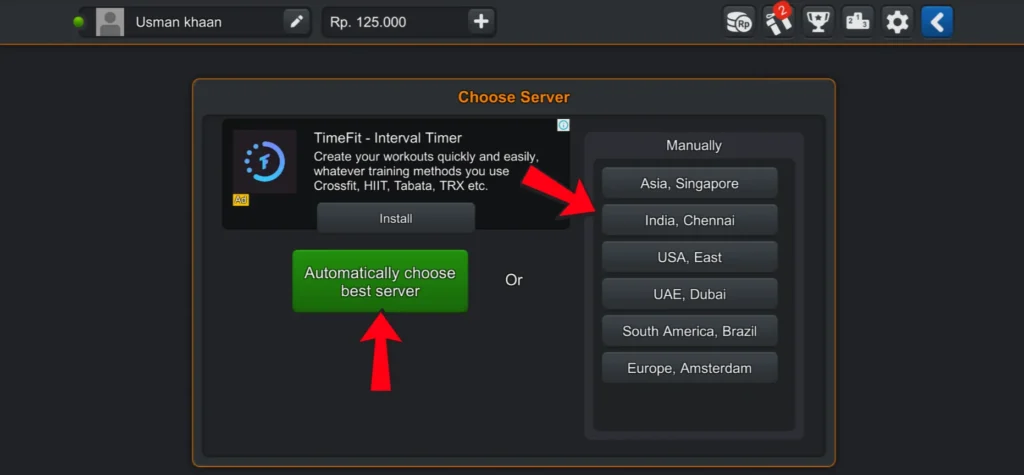
Next, servers will appear and you can choose which server you want to play on in multiplayer mode.
- You can select a server manually.
- Or use the auto choose server option.
The auto choose server option is recommended:
- The server with the lowest ping will be selected automatically.
- Low ping means your game will not lag and will run smoothly.
Convoy vs Race Mode
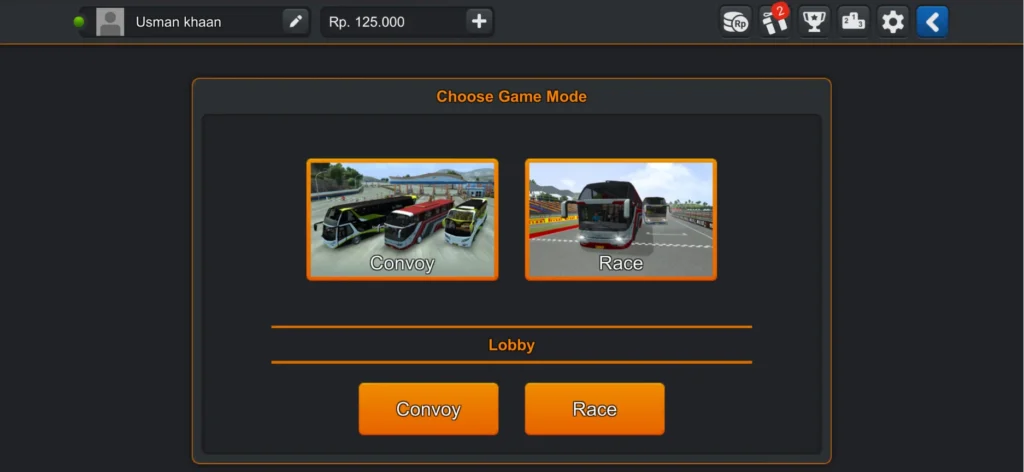
As soon as the server is selected, you will see 2 more options: Convoy mode and Race mode.
- In Convoy mode, you just play normally like a bus journey.
- In Race mode, you compete with other players.
Create a Room
Now, you need to create your own room. There will be a Create Room option at the bottom, click on it.
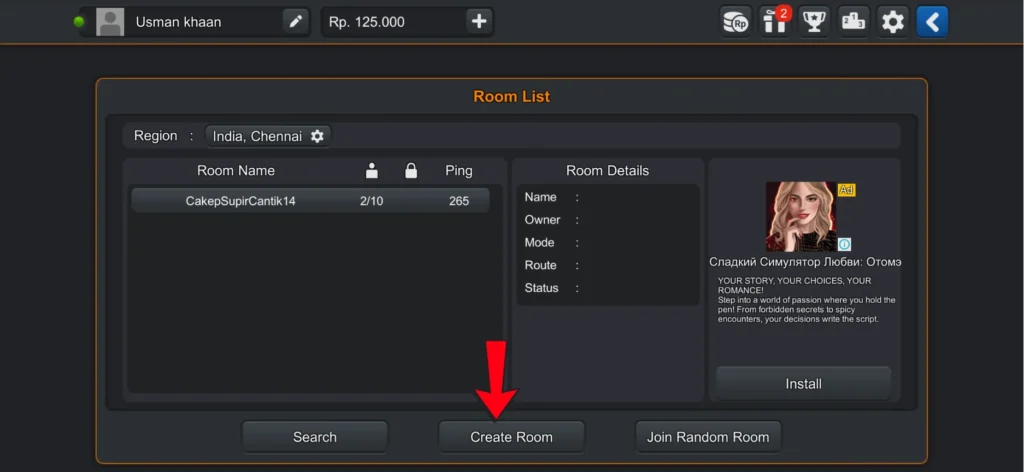
As soon as you click on Create Room, a popup will appear in front of you.
- First, it will ask for the room name. You can choose any name, but your friend must enter the same room name to join this room.
- Second, you need to set a secret code, which is the room code (for example: Usman123).
- Third, you will see the number of players, which means how many players can join. You can set a minimum of 2 and a maximum of 10 players.
- Fourth, you will see the travel route, where you can select the location on the map.
- After that, at the bottom of the popup, there will be a Create option. Click on it, and your room will be created and ready.
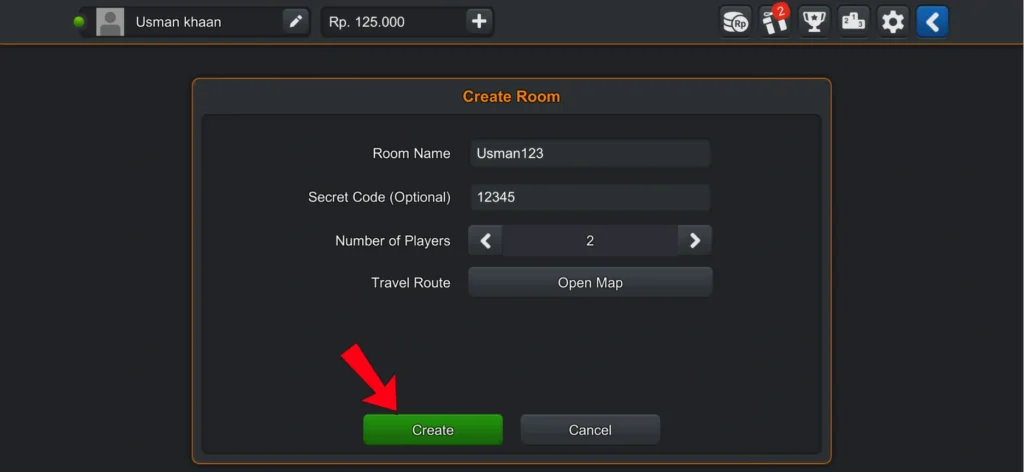
How to Join a Friend’s Room
After creating your room, you need to tell your friend the same room name and the secret code that you set.
Your friend will follow the same steps:
- Go to multiplayer mode
- Choose the same money or ad option
- Select Convoy or Race (the same mode you selected while creating the room)
After that, at the bottom, there will be a Search option next to Create Room. Click on it.
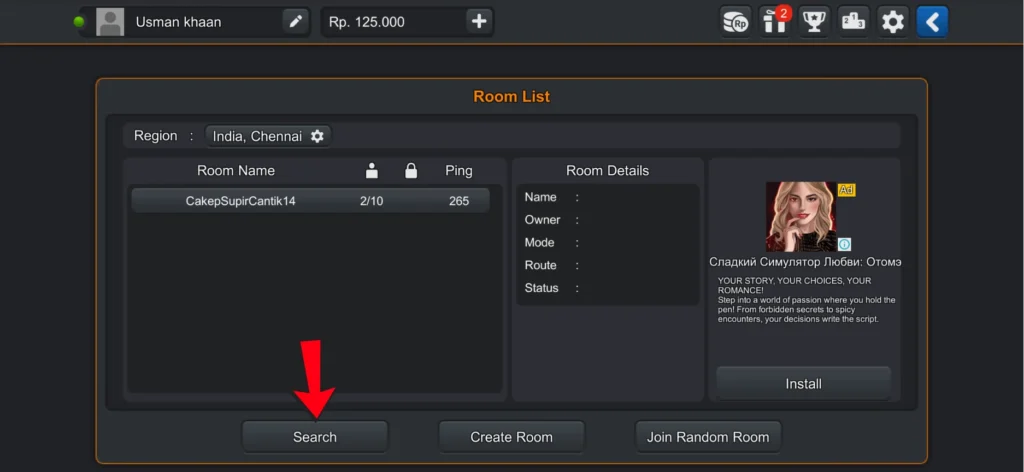
A popup will appear where you need to search for the room name. Enter the same room name that was set during room creation.
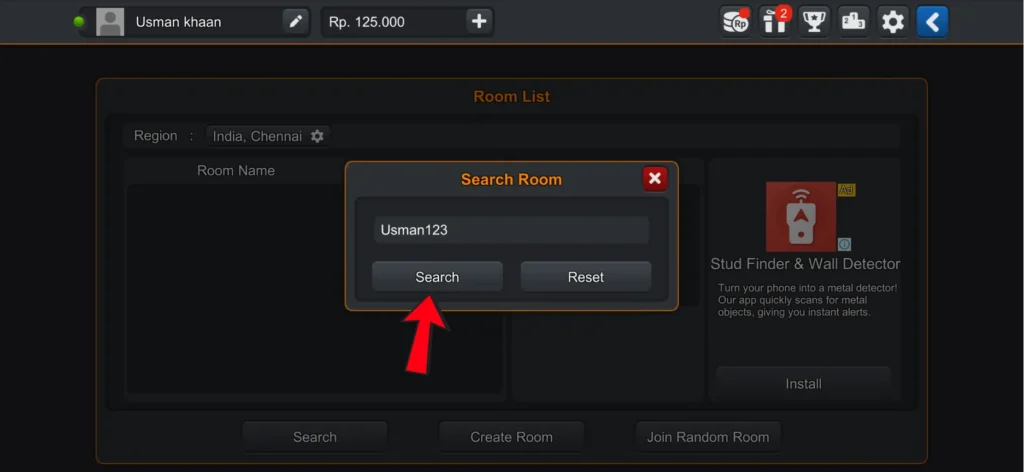
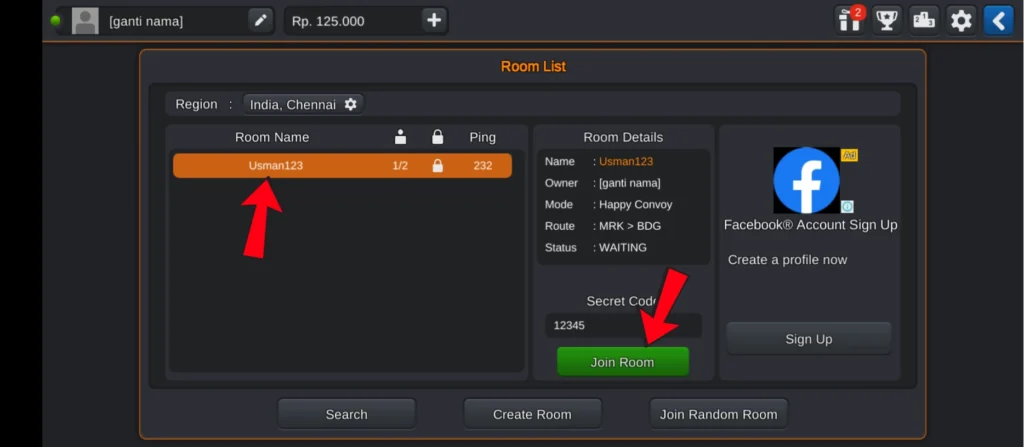
After searching, the same room name will appear. Click on it.
As soon as you click on it, the Join Room option will appear, and just above it, you will see the secret code field. Enter the same code that was set while creating the room.
Joining and Starting the Room
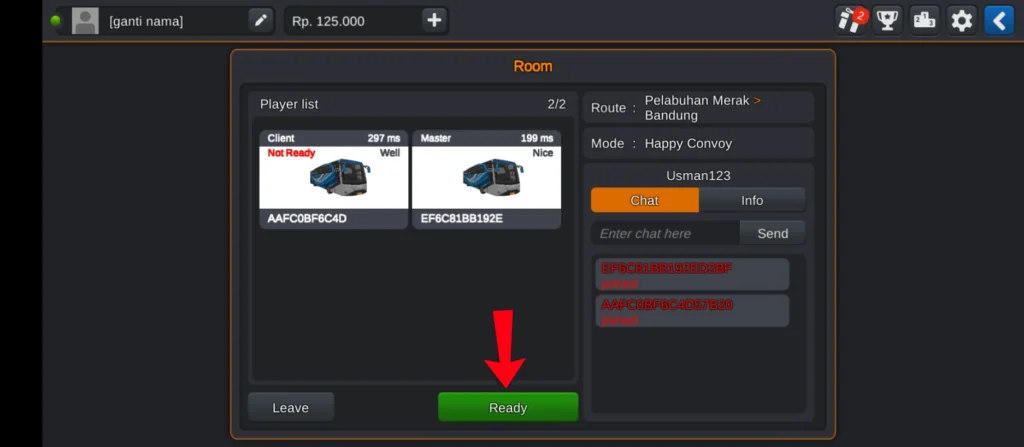
After clicking on Join Room, you will join your friend. Then, you will see a Ready option at the bottom.
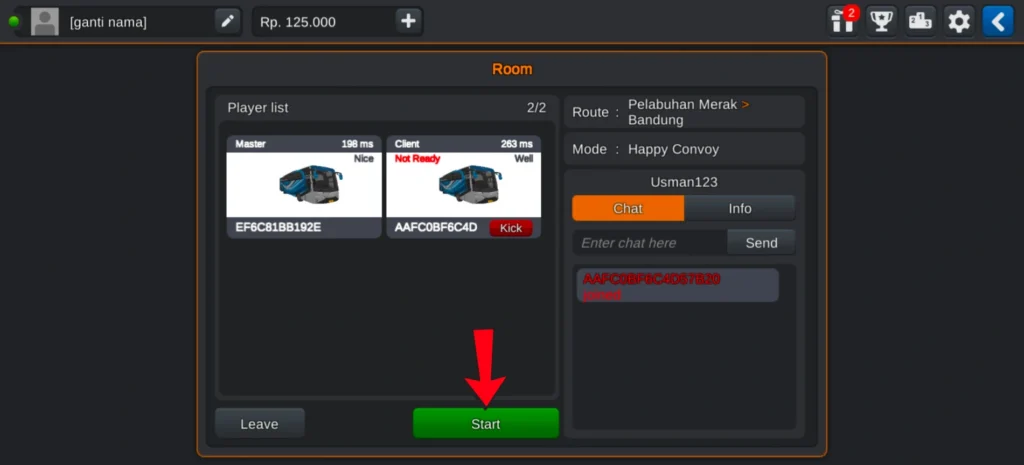
When you click on Ready, the player who created the room will see a Start option. By clicking on Start, the room will begin.
How to Play with Random Players
Now that you know how to play multiplayer with friends, let’s talk about how to play with random players.
For this, go to the same multiplayer mode and follow the same steps (use money or watch an ad). Then, you will see many available rooms.
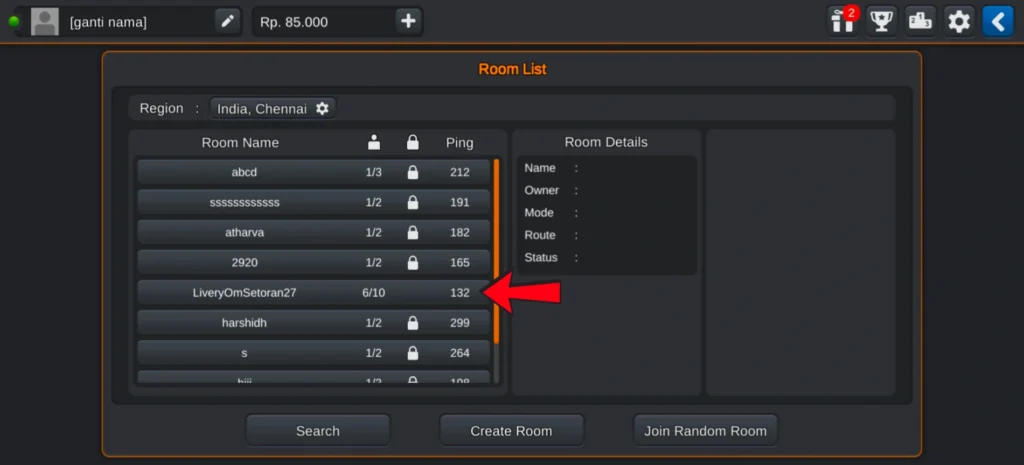
Some rooms will have a password, and some will not. You can click on any room without a password and join it.
After a few seconds, the game will start. This way, you can play with random players (people you don’t know).
Conclusion
By following these steps, you can easily play Bus Simulator Indonesia multiplayer with friends or join random players. Just make sure to select the right server and enter the correct room details for a smooth experience.