How to Add Haryana Roadways Bus and Skins in Bus Simulator Indonesia
You can easily add the Haryana Roadways bus by following a simple step-by-step method. There is no need for any password or zip file. It takes only a few steps and works without any issues. You can also apply different Haryana Roadways skins to customize the bus, and their download links are provided below in this guide. For more gameplay features, customization options, and the latest updates, you can also explore Bus Simulator Indonesia.
Get Haryana Roadways Bus Mod
You will see two download options based on your device.
- First link: For 2GB, 3GB, 4GB, and 6GB devices
- Second link: For 8GB and 12GB devices
If your device has 6GB RAM, click on the first link, while 8GB or 12GB devices can use the second link for slightly better quality. The 6GB file also works on higher RAM devices without any issue.
Disclaimer: We do not host any files on our server. All files are provided by third-party sources.
How to Download the Bus File
- Click on the download link
- As soon as you click, it will open in Google Chrome
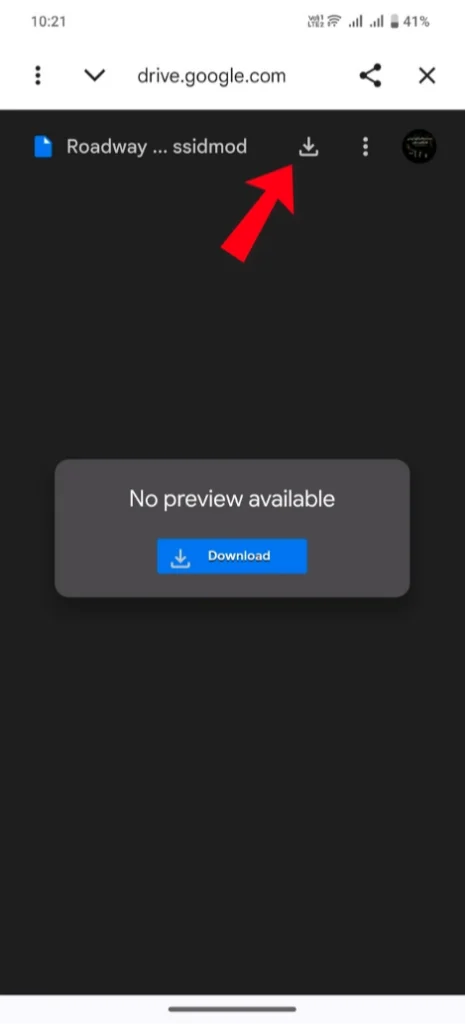
- A screen will appear saying, “No preview available.”
- At the top, tap on the download icon (⬇️)
- The file will start downloading and will be saved in your File Manager (Downloads folder)
How to Import Bus Mod in Game
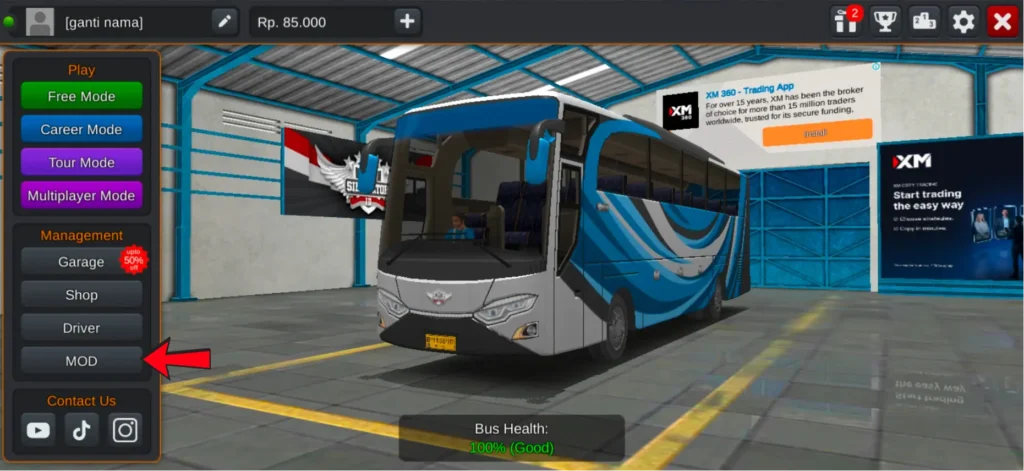
- Open the game
- Go to the MOD option from the menu
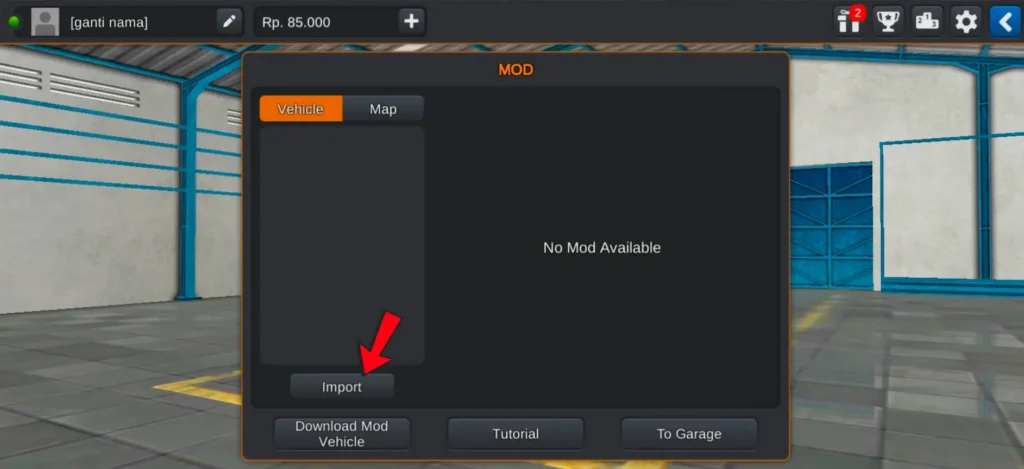
- At the bottom, you will see the Import button, tap on it
4. A device gallery popup will appear on your screen
5. Tap on Device Gallery
6. Tap on the menu (three lines) on the left side
7. From there, open the Recent section where you will find your downloaded file
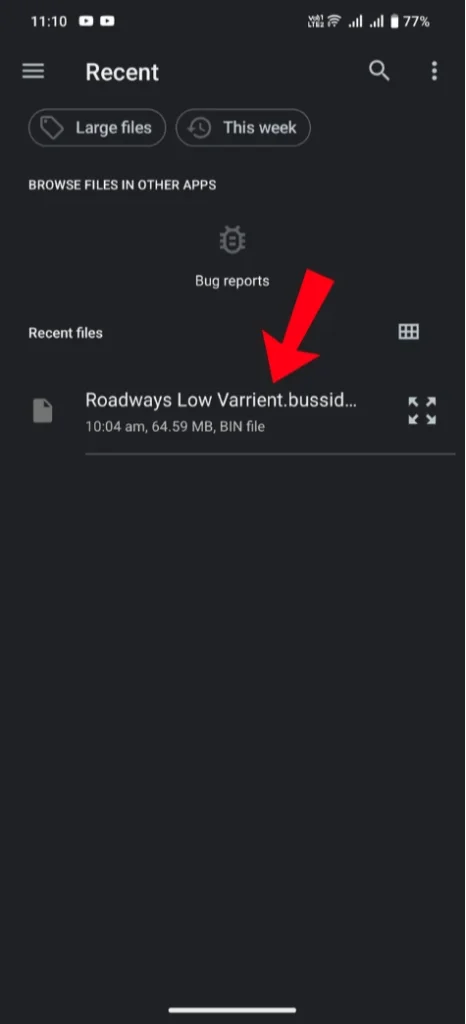
If the file does not appear in Recent:
- Use the search option at the top
- Type “roadways”
- Your downloaded file will appear
8. Click on the file (around 64.59 MB)
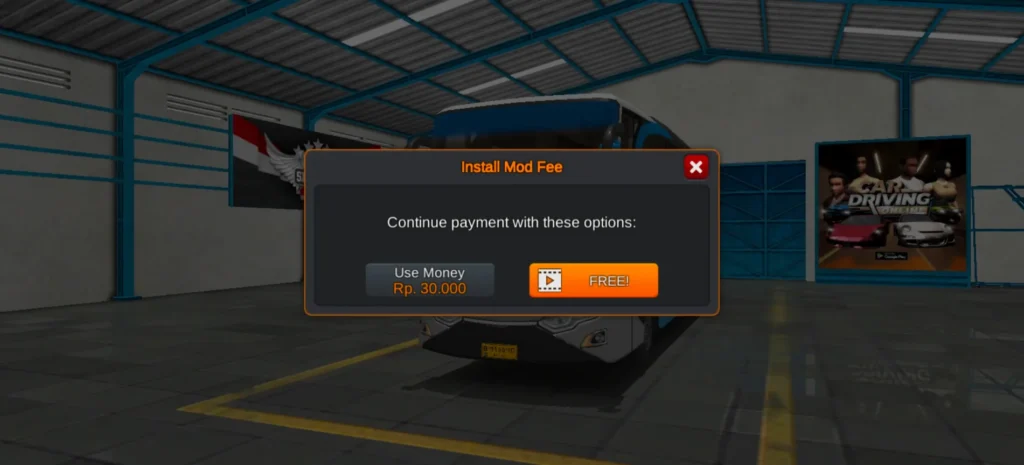
9. A popup will appear with two options:
- Use 30,000 in-game money or watch an ad to import the mod
How to Use the Bus
- After importing, go to the Garage
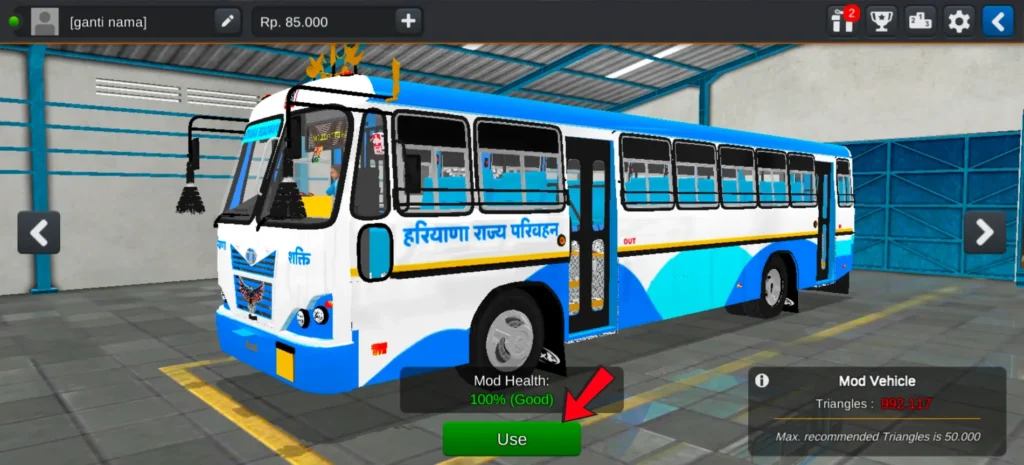
- You will see the Haryana Roadways bus added there
- Select the bus
- Tap on the Use button to activate it
How to Add Skins (Livery)
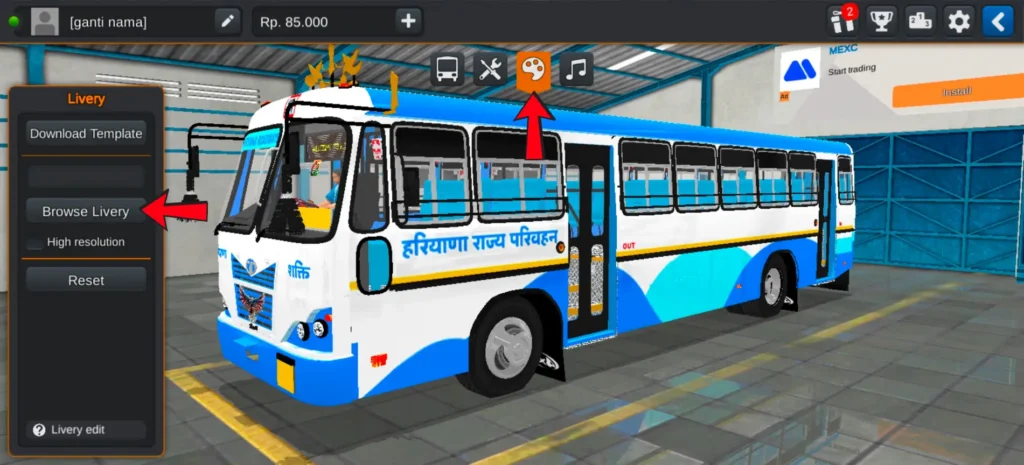
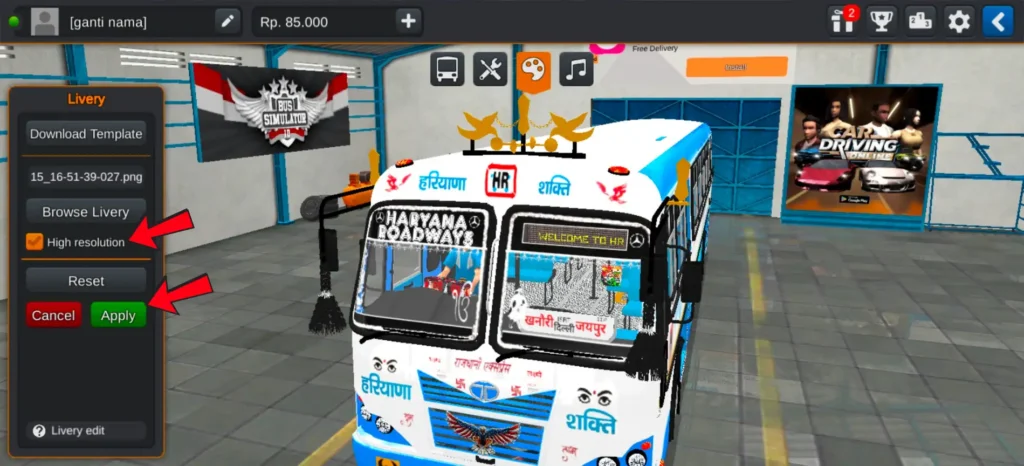
After clicking on the Use button, at the top you will see the skin (livery) icon. Tap on it.
Now:
- Click on Browse Livery on the left side
- A popup will appear
- Select Device Gallery (not file manager)
Then:
- Tap on the menu (three lines) on the left side
- Go to the Recent section
- Here you will find all your downloaded skins
- Choose any skin, and it will be loaded on the bus
- Tap on Apply to confirm
To make the driving experience more realistic, you can also add Indian horn in BUSSID.
To enable high resolution for better skin quality:
- Use 15000 game money
- Or watch an ad
Download Haryana Roadways Skins
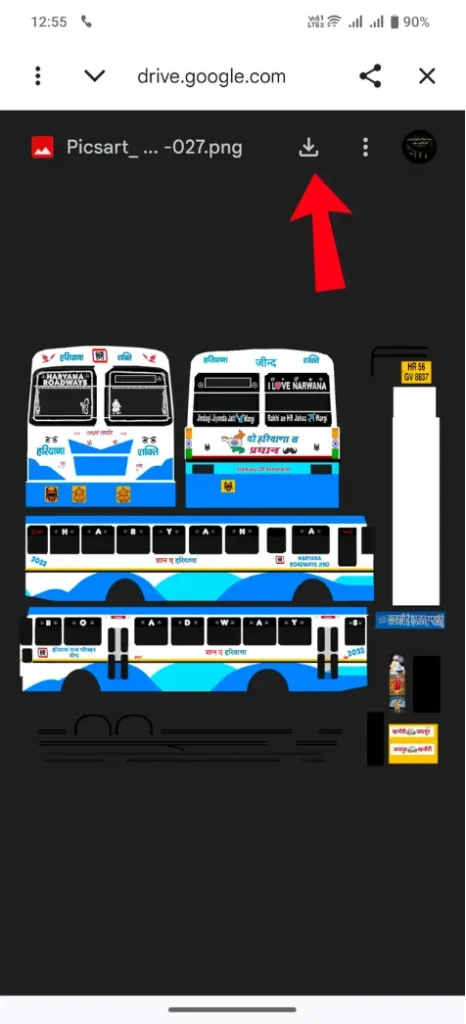
When you open any skin link, the skin image will appear directly. At the top, you will see a download arrow. Tap on it, and the skin will be saved in your gallery.
Conclusion
Now you can easily import and use the Haryana Roadways bus by following these steps. Once everything is set up, you can enjoy driving and customize the bus with different skins to match your style.